
From Comfort Ye to Every Valley: Rehearse the Join
Backing Track Guides
By Spiritrax Content Studio · September 11, 2026
Updated September 11, 2026
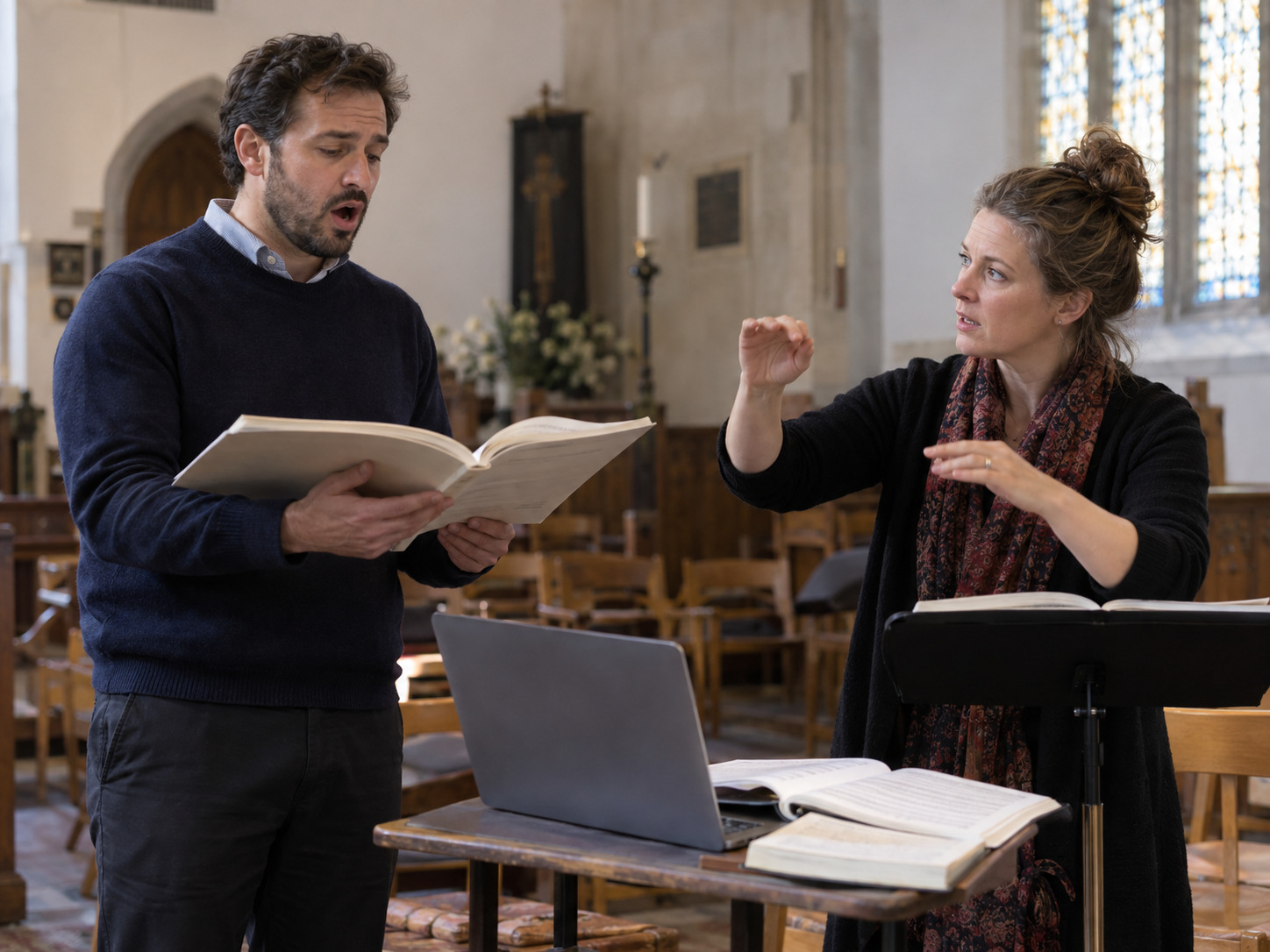
If you are singing “Comfort Ye” followed by “Every Valley,” rehearse the transition as part of the selection. Confirm the key of each backing track, agree on who starts the second file, and practice from the closing passage of the first movement into the opening of the next. Two confident solos can still meet at an uncertain join.
Spiritrax lists these Messiah movements as separate products. That makes them useful for a single selection or a paired program, but it also means the performer and playback operator need an explicit plan for the handoff.
Choose the two versions together
The Comfort Ye track page offers previews labeled E major and D major. The Every Valley track page lists E major. Check the current selectors and the actual files you intend to use; do not assume that choosing an alternate key for one movement automatically changes the other.
If E major works for the complete pair, verify both files in that key. If you are considering a different key, discuss the pair with your teacher or music director before requesting a change. The easier opening is only part of the decision: the more active passagework and sustained phrases also need to fit the singer.
A useful request names both movements and says whether the entire pair needs the same transposition. It should also identify any planned cut or changed ending. Avoid describing two separately purchased files simply as “the tenor solo” when the team needs to know exactly which music will play.
Follow the score and the actual recording
Open the score you will use and listen through each intended version. Mark where the accompaniment begins, where the voice enters, where the accompaniment continues during a vocal rest, and how the track ends. Rehearse the score-to-recording match before committing the pair to a service or concert program.
Do not copy timings from a favorite performance and assume this track will follow them. A recording has a fixed sequence. It will not wait because a singer takes a longer pause, and it will not infer a conductor's choice at the last moment.
The product pages identify the online previews as watermarked and the purchased accompaniment files as free of that preview voiceover. Use the product previews to compare the music, then verify the purchased files for the final rehearsal. A preview's voiceover is not a cue intended for performance.
Give the second start to one person
Choose one of two practical arrangements after listening to the files:
The playback operator starts “Every Valley” on a visible cue. The operator waits at the end of “Comfort Ye,” watches the agreed performer or director, and starts only when that person signals readiness. This gives the team control over the space between the movements, while the music inside each file remains fixed.
A prepared sequence contains the agreed gap. Use this only after testing the exact playback behavior. The singer must be comfortable with the fixed interval, and the operator must know how to stop safely if the performance is interrupted. Do not assume a music app's default crossfade or automatic transition will preserve either ending or introduction.
Whichever method you choose, write down who gives the cue and what the operator is watching. “Start when it feels right” is too vague for someone who did not attend the musical rehearsals.
Practice the join before another complete run
Try a short transition rehearsal with the actual operator:
- Begin in the final passage of “Comfort Ye” using a rehearsal start point agreed with the music director.
- Let the voice and accompaniment finish as planned.
- Take the agreed breath and space. Keep the cue visible.
- Start “Every Valley” through the actual playback control.
- Continue beyond the first vocal entrance so the transition leads into settled singing.
Repeat once with the singer holding the score in the intended performance position. A cue that was clear during discussion can disappear behind a folder or music stand. Test the sightline from the operator's actual seat as well as from the singer's position.
Do not invent a universal number of seconds between the movements. The suitable space depends on the chosen files, the musical direction, the room, and the program. Rehearsing the join is how the team decides.
Use the whole pair to judge readiness
Practicing a fast passage separately is useful; returning to it after the preceding music is a different test. Once the notes and text are secure, run the complete paired selection with the final files. Listen for a settled first entrance in each movement, clear words, and a pace the singer can sustain.
If a passage remains unreliable, bring the specific location to the teacher or music director. Separate learning at a manageable practice pace from the performance version. A slower practice export should be clearly named and kept out of the final playback sequence.
Ask about a custom version only after the musical choice is clear. Spiritrax's product pages provide a customization route; the exact request and available options should be confirmed there rather than assumed from a general description.
Single tracks, Part 1, or the complete collection?
For this pair alone, begin with the two individual product pages and compare the exact versions you need. If your program includes more of the opening part of the work, the Messiah Part 1 collection provides a relevant catalog starting point. The Complete Messiah collection is the broader option for programs spanning the work.
Choose around the planned music. A collection does not remove the need to check each movement, file boundary, key, and required score materials. For repertoire planning beyond this pair, use the Messiah song-list guide.
Final playback checklist
- Both movement titles and selected keys are written in the running order.
- The final files have been heard in full and tested on the event's playback device.
- The operator knows whether the second start is cued or sequenced.
- Crossfade, automatic continuation, and device interruptions have been checked.
- The singer and director can be seen from the playback position.
- The transition has been rehearsed in the room, including the sound after the last note.
For worship use, agree on placement and the surrounding spoken or silent moments with the service leader. The music should fit that service's own plan.
Questions about the paired selection
Are “Comfort Ye” and “Every Valley” one Spiritrax file?
They are listed as separate individual products. Verify the files supplied with your chosen purchase and plan the boundary explicitly when performing them together.
Can I choose D major for the first and assume the second will match?
No. The reviewed “Comfort Ye” page includes a D-major preview; the reviewed “Every Valley” page lists E major. Confirm both selections and any requested customization before rehearsal.
Can the backing track follow the singer's pauses?
A fixed audio file cannot respond live. The team can agree on the interval between files and request a suitable version where available, but the singer still needs to rehearse the timing inside the approved recording.
Compare the Part 1 collection with the movements in your program, then verify the keys and file boundaries your soloist will rehearse.
Explore Messiah Part 1